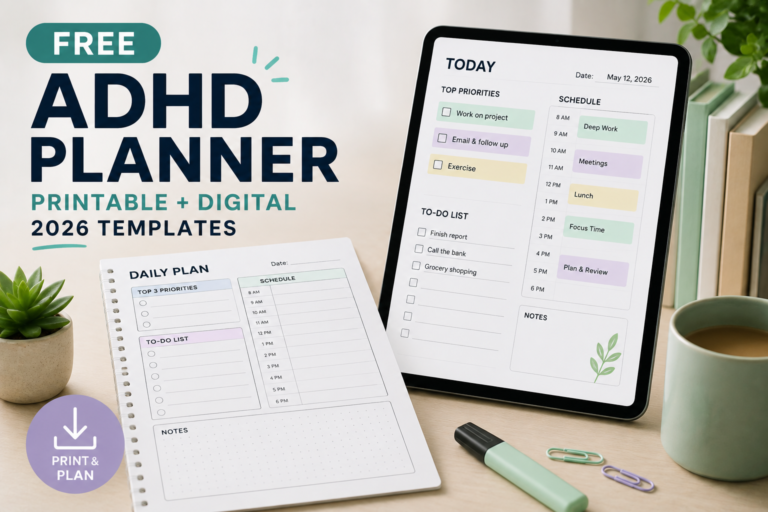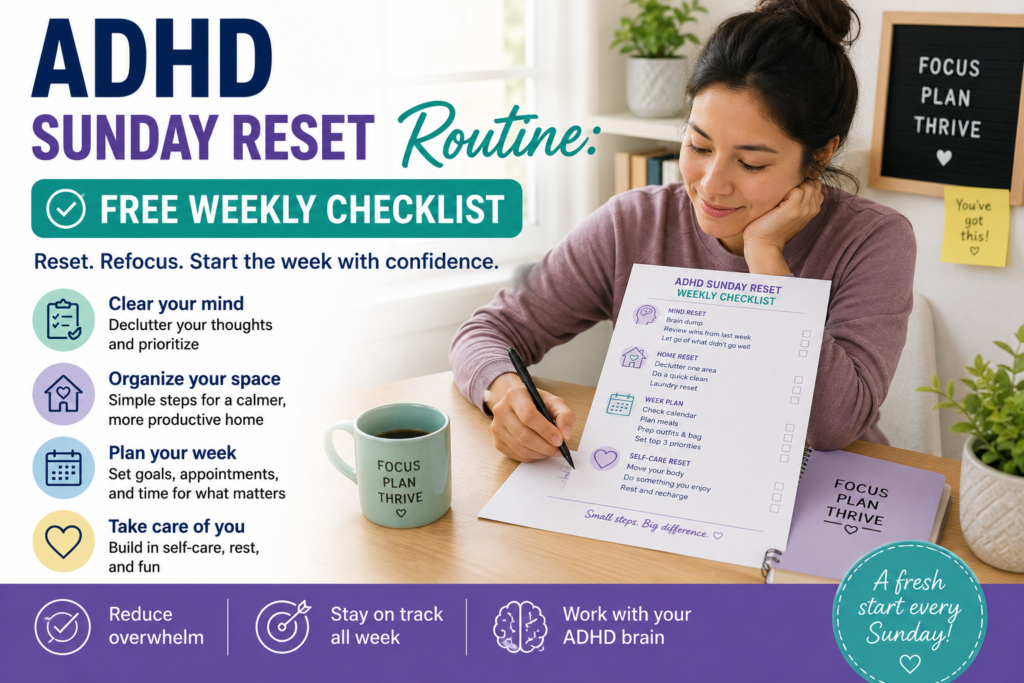
An ADHD Sunday reset routine is a short check-in before the coming week: review commitments, identify anything that needs advance preparation, and make your next morning easier. Cleaning is optional. You do not need to finish every household task or follow a fixed one-hour routine.
Use the checklist below on Sunday or before your own working week begins. If you work shifts, study part-time or have an irregular schedule, choose the transition that makes sense for you.
Choose a reset that fits today
Start by deciding how much time and energy you want to spend. The times below are suggested planning limits, not tested completion times or targets you must meet.
| Available capacity | Focus | Stopping point |
|---|---|---|
| Around 5 minutes | Check the next commitment and prepare its essential item. | You know what happens next and have recorded any necessary reminder. |
| Around 15 minutes | Review the week, capture loose tasks and prepare tomorrow’s essentials. | Urgent preparation has a next action and tomorrow’s bag or workspace is ready. |
| Around 30 minutes | Add one useful surface reset or a small household task. | The chosen task is finished or its next step has a specific reminder. |
If a task takes longer than expected, reduce the list. Extending the session is a choice, not a requirement.
Your weekly reset checklist
This is the complete checklist, not a preview. Copy it into a note, write it on paper, or use your browser’s print option. To print only this section, copy it into a blank document first. Mark optional tasks “skipped” when they do not fit your week.
Week beginning: ____________________
Time available: ____________________
I will stop at: ____________________
- ☐ Review appointments, work or study deadlines, and shared commitments for the next seven days.
- ☐ Identify anything that needs preparation before the day it happens.
- ☐ Capture loose tasks in one list; choose the next action for anything time-sensitive.
- ☐ Prepare the essentials for my next morning or shift.
- ☐ Optional: make one useful surface or small area usable.
- ☐ Optional: complete one small household task, or schedule its remaining step.
- ☐ Leave space for rest or something enjoyable.
- ☐ Check reminders, put this checklist somewhere visible, and stop.
The commitment I most need to prepare for:
__________________________________________________
Its next action and when I will do it:
__________________________________________________
The item I want ready for tomorrow:
__________________________________________________
Anything unfinished, with its next step:
__________________________________________________
How to use the routine
1. Check the calendar before choosing chores
Look at the next seven days in the places where commitments actually arrive: your main calendar, work or college schedule, appointment messages and any relevant shared calendar.
For each important commitment, ask:
- When do I need to leave or log in?
- What must be ready beforehand?
- Does preparation depend on another person, an opening time or a delivery?
- Is there a clash I need to resolve?
For example, a Thursday meeting may require a document from a colleague on Tuesday. Record the Tuesday request as well as the Thursday meeting.
Read entries aloud if you find that useful. A written check mark or brief note is another option; speaking aloud is not a required part of the method.
2. Capture loose tasks without turning them all into promises
Write down the tasks you are trying to remember. Use one place rather than starting several new lists. A short time limit can keep this step from taking over the session.
Then separate what needs attention this week from what can wait. Give time-sensitive items a concrete next action:
- Instead of “sort appointment,” write “find the appointment letter and check what to bring.”
- Instead of “deal with college,” write “open the assignment instructions and note the submission deadline.”
- Instead of “organize everything,” write “put the papers needed tomorrow into my bag.”
If you want a separate space for capturing thoughts, use the ADHD brain-dump guide. You do not need a special template to do this step.
3. Prepare tomorrow’s essentials and any earlier prerequisites
Choose the items most likely to cause a delay: keys, access card, clothes, a charged device, a packed bag or documents. Put them where you will use or collect them.
Prepare tomorrow first, then check whether a later commitment needs action now. You do not need to plan every outfit or meal for the week.
A useful finish line is specific: “My bag contains the laptop, charger and meeting notes.” “Be ready for Monday” is harder to check.
4. Make one space usable
Choose an area that supports the next activity: a place to prepare breakfast, a chair where you can get dressed, or enough desk space to open your laptop.
Define “usable” before starting. For a desk, that might mean clearing space for a notebook and computer. It does not have to include sorting every drawer.
Keep unrelated discoveries from becoming new projects. If you set papers aside temporarily, give them one named location and record a later sorting task when necessary.
5. Choose a household task you can close
Pick a small task with a clear endpoint, such as washing tomorrow’s lunch container, taking out one full rubbish bag or putting away one basket of clean clothes.
If you start laundry, include the later steps. Check that you have time and a way to transfer and dry it, then set a reminder for the next action. Starting the machine is not the end of the task.
If you cannot manage the follow-up today, choose a smaller task. Household work is optional when calendar preparation already uses your available capacity.
6. Close the reset and leave room for rest
Before stopping, check that reminders include an action and a useful time. “Bring signed form when leaving at 8:10” is more specific than “remember form.”
You can also make space for a walk, a call, a hobby or quiet time. This is an optional part of planning a livable week, not a proven technique for making the routine stick.
Put the checklist where you will see it next time. Choose a cue that already exists, such as finishing lunch on your day off, rather than relying only on remembering.
A worked example: a 25-minute reset
Illustrative example: Alex has an early Monday shift, a Wednesday appointment and 25 minutes available. These are example time budgets, not measured results.
| Time budget | Action | Finish line |
|---|---|---|
| 5 minutes | Review the week’s calendar and appointment instructions. | Departure times are recorded; a document needed Wednesday is identified. |
| 3 minutes | Capture loose tasks and choose what needs action. | A Monday reminder says to request the missing document. |
| 7 minutes | Prepare Monday’s clothes, bag and lunch container. | Work essentials are in their departure spot. |
| 5 minutes | Clear enough kitchen counter space to prepare breakfast. | The breakfast area is usable. |
| 5 minutes | Check reminders, record unfinished tasks and put the checklist away. | The next actions are recorded and the session ends. |
Alex skips laundry because there is no time for the follow-up. The example totals 25 minutes because it limits the scope, not because every household could complete these tasks at that speed.
When the reset does not go to plan
| What happens | What to try next |
|---|---|
| The checklist feels too large to start. | Open the calendar and find only the next commitment. Prepare one essential item. |
| The task list keeps growing. | Stop capturing when your chosen time ends. Select the next time-sensitive action; leave the rest recorded. |
| Cleaning takes over. | Return to the original finish line, such as “space for breakfast,” and stop there. |
| You miss Sunday. | Use the short version at the next useful opportunity. There is no need to complete last week’s checklist first. |
| Other people control part of the schedule. | Confirm the specific handoff: who is doing what, by when, and where that agreement is recorded. |
| Standing, writing or moving between rooms is difficult. | Use a seated calendar review, voice notes or an accessible digital checklist. Ask for practical help with physical tasks when available. |
How to tell whether it helps you
At your next reset, ask one concrete question: “Did I have the item or information I needed for my next commitment?” Note what helped and what was missed.
If you packed your bag but still forgot an important form, add a document check. If the surface reset used all your energy without helping the next day, skip it next time. Adjust the checklist around the problem you actually encounter.
What supports this approach—and what remains untested
The National Institute of Mental Health’s ADHD guidance recommends consistent routines, written reminders, attention to time-sensitive tasks and breaking larger tasks into smaller steps.
This checklist applies those general principles to weekly preparation. It is an organizational template, not a clinically validated Sunday-reset protocol. Its exact sequence and time options have not been established as an ADHD treatment.
If difficulties with planning or daily activities continue to disrupt your life, discuss them with a qualified healthcare professional. A checklist can support practical organization, but it does not replace assessment or individualized care.