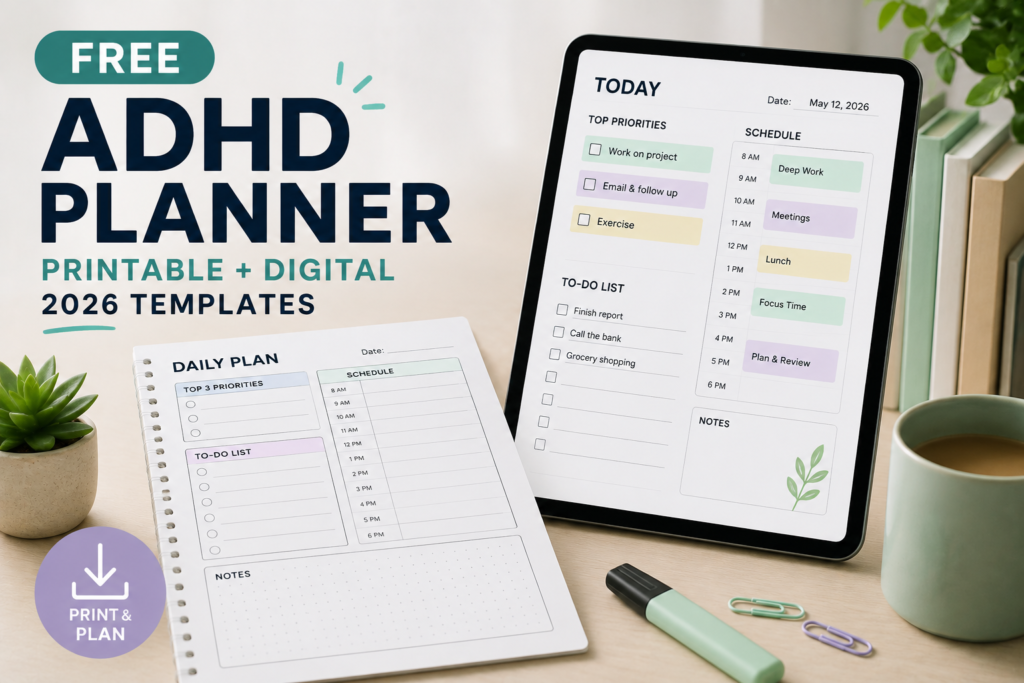
The templates are undated, so you can begin on any day and leave unused sections blank. They are organisational worksheets, not a medical assessment or treatment, and this particular layout has not been clinically evaluated.
Go to the daily template | Go to the weekly template | Go to the restart template
Choose how you want to use the planner
| Option | How to start | Important limitation |
|---|---|---|
| Paper | Copy a template into a document, add writing space and print it. | Your document settings determine the page size and layout. |
| Typed notes | Copy the template text into your preferred notes app and type beneath each heading. | This webpage does not save your entries or send reminders. |
| PDF for annotation | Copy a template into a document, export it as a PDF and open it in an annotation app. | An ordinary exported PDF does not automatically contain fillable form fields. |
| Browser-based planning | Visit our daily planner tool or weekly planner tool. | These are separate tools with their own controls and output. |
The templates below are free to access on this page without submitting an email address. Printing, third-party apps and subscriptions may have their own costs.
Daily planner template
Choose one main priority first. The two additional tasks are optional, and the parking list is for ideas you do not need to act on immediately. Three task spaces are a layout choice, not a clinically established limit.
My daily plan
Date: ____________________
Fixed commitments:
Time, appointment and any preparation or travel needed:
__________________________________________________
__________________________________________________
__________________________________________________
My main priority:
__________________________________________________
The first visible action:
Write an action you can begin, such as “open the application form,” rather than “sort everything out.”
__________________________________________________
When and where I will try it:
__________________________________________________
What “done for now” looks like:
__________________________________________________
Optional task 2:
__________________________________________________
Optional task 3:
__________________________________________________
Space for breaks, meals, travel or interruptions:
__________________________________________________
Parking list: remember later, do not start now
__________________________________________________
__________________________________________________
__________________________________________________
Before I finish today:
What happened? ___________________________________
What needs rescheduling? __________________________
My next starting action: ___________________________
How to turn a task into a workable plan
Illustrative example: You need to submit an expense claim by Friday. “Do expenses” is easy to postpone because it contains several separate actions.
| Planner field | Example entry |
|---|---|
| Main priority | Prepare the expense claim for submission. |
| First visible action | Open the claim form and find the receipt folder. |
| When and where | After lunch at my desk. |
| Done for now | Enter the available receipts and list anything missing. |
| Reminder | Set a separate calendar alert for the submission deadline. |
| If interrupted | Leave a note naming the next receipt to enter. |
The example separates starting, working and submitting. If gathering the receipts takes longer than expected, update the plan rather than assuming the entire task has failed.
For a real deadline, keep the date in the calendar or reminder system you actually check. A printed worksheet cannot notify you.
Weekly overview template
Use this page to notice clashes and prepare for deadlines. You do not need to fill every day. If your week starts on a different day, change the labels when you copy the template.
My week at a glance
Week beginning: ____________________
One outcome I want to move towards:
__________________________________________________
Deadlines to confirm:
Task, exact due date and where it must be submitted:
__________________________________________________
__________________________________________________
Monday
Fixed commitments: _______________________________
One possible next action: _________________________
Tuesday
Fixed commitments: _______________________________
One possible next action: _________________________
Wednesday
Fixed commitments: _______________________________
One possible next action: _________________________
Thursday
Fixed commitments: _______________________________
One possible next action: _________________________
Friday
Fixed commitments: _______________________________
One possible next action: _________________________
Saturday
Fixed commitments: _______________________________
One possible next action: _________________________
Sunday
Fixed commitments: _______________________________
One possible next action: _________________________
What needs preparation before its due date?
__________________________________________________
Where is there room for rest or unexpected work?
__________________________________________________
What can be postponed, reduced or discussed with someone?
__________________________________________________
When will I check this plan again?
__________________________________________________
Restart template for a missed day or week
You do not need to reconstruct every missed day before using the planner again. Check what is still current, identify any urgent consequences and choose a starting point.
Start again from today
Today’s date: ____________________
What has a real deadline or consequence?
__________________________________________________
__________________________________________________
What needs checking before I plan?
For example: email, assignment portal or appointment calendar.
__________________________________________________
What can I remove, postpone or ask for help with?
__________________________________________________
One action I can attempt next:
__________________________________________________
If something is overdue, who needs an update?
__________________________________________________
When and where will I try the next action?
__________________________________________________
What will make the planner easier to notice?
__________________________________________________
This restart page is an editorial design choice. It is not evidence that this planner prevents abandonment or works better than other formats.
Print the templates or save a PDF
- Copy only the template you need into a document editor. Add blank lines if you want more room for handwriting.
- Choose your paper size. Use A4 or US Letter to match your printer and paper.
- Check print preview. Adjust text size, margins and page breaks so a heading is not separated from its writing space.
- Print a test copy before printing several pages. Check that the text and writing areas are comfortable to use.
- To keep a PDF, use your document editor’s PDF export or your system’s “Save as PDF” option where available.
You can also print this webpage using your browser’s print command. That may include navigation and other website content, so inspect the preview and select the relevant pages before printing.
A PDF created this way is a document you can view, print or annotate. It is not automatically a form with clickable typing fields.
Use the template in a notes app, Goodnotes or Notion
For simple typed notes
Copy the daily template into a new note, replace the writing lines with your entries and duplicate the blank note when you need another day. Keep completed plans separate from your reusable blank copy.
Check how your app saves and backs up notes. This page does not provide cross-device syncing, automatic saving or notifications.
For Goodnotes
Goodnotes supports annotating PDF documents. You can create a PDF from your copied template and use the app’s supported annotation tools. This page does not supply a native Goodnotes file, and no specific exported file has been tested here.
For Notion
You can copy the template text into a Notion page and adjust the headings and lists. Notion also documents PDF import, but importing a document is different from receiving a purpose-built Notion template. Formatting may change.
Do not assume a PDF will become a database, recurring task system or reminder workflow. Those features require their own setup.
Make the planner easier to use
- Choose a reliable cue. Try checking it after breakfast, after arriving at work or before beginning a study session. Use a time that fits your routine.
- Keep one current plan visible. Avoid scattering today’s tasks across several competing lists.
- Write actions rather than broad projects. “Find the application deadline” gives you a clearer starting point than “apply for courses.”
- Include existing commitments first. Available time should account for travel, meals, care responsibilities and rest.
- Keep reminders separate when necessary. Put appointments and consequential deadlines in a system that can alert you.
- Remove unused sections. You do not have to add habit tracking or detailed time blocks if they create extra work.
The National Institute of Mental Health recommends organisational strategies such as recording important information, prioritising time-sensitive tasks and breaking larger tasks into manageable steps. That general guidance supports the approach; it does not establish that this particular worksheet is effective for everyone.
Troubleshooting: when the planner is not helping
| Problem | Something to try |
|---|---|
| I forget the planner exists. | Put the paper where you begin work, or add one reminder to open the digital note. |
| I spend more time planning than working. | Use only the main priority, first action and next check-in. Leave the rest blank. |
| My tasks keep moving to tomorrow. | Check whether each task is too large, unclear, dependent on someone else or no longer necessary. |
| One interruption ruins the schedule. | Try a short action list around fixed appointments instead of scheduling every minute. |
| The same task takes longer than expected. | Compare your estimate with what happened and allow more time in the next plan. |
| The planner looks tidy, but I cannot begin. | Make the first action smaller, check whether instructions are clear and consider asking for support. |
| I miss appointments despite writing them down. | Use calendar alerts, including time to prepare and travel. The worksheet alone cannot send reminders. |
| I stopped using it for several days. | Use the restart template for current commitments instead of filling in the missed pages. |
If organisational difficulties continue to disrupt study, work or daily life, consider discussing them with a qualified professional. A different worksheet may not be enough, and a planner does not diagnose ADHD or replace appropriate care.
Decide whether to keep using this layout
After several uses, ask whether the planner helped you notice a commitment, choose a next action or return to an unfinished task. Also notice how much effort it took to maintain.
You can keep a useful section, simplify the rest or choose another method. Missed days do not require starting a new system, and a completed page is not the goal by itself.
Related planning resources
- Daily planning guide — explore a broader approach to organising tasks.
- Daily planner tool — use the separate browser-based planning interface.
- Weekly planner tool — organise commitments across the week.
- Printables and checklists generator — explore other worksheet formats.
About these templates: These are general organisational worksheets. Their layout is not a diagnostic instrument, a clinically validated intervention or an endorsement by any organisation linked above.


[…] reusable layouts, see our free planner resource. You do not need a branded planner to try a written […]