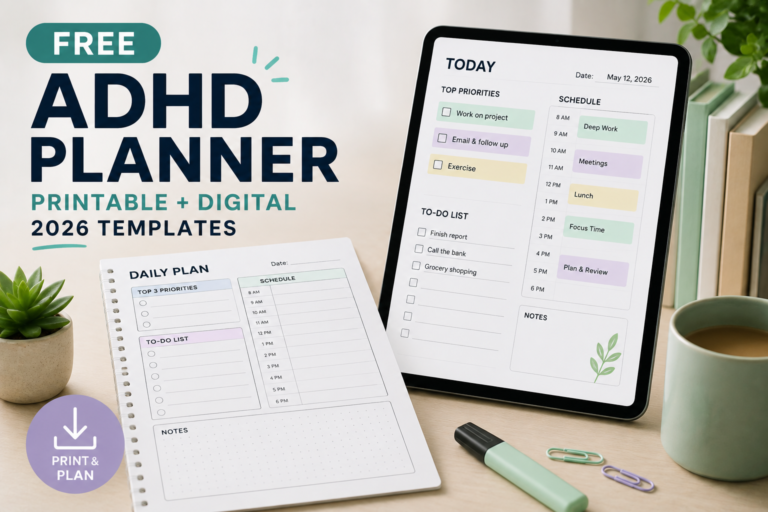
Start with one page rather than completing the whole bundle. The daily plan is a useful starting point for today; the weekly overview helps you look ahead; the task starting sheet helps turn a broad project into an action.
These are general organisational worksheets, not clinically validated ADHD treatments or diagnostic tools. The PDF pages are static printables without interactive typing fields, automatic reminders or saving features.
See all seven templates | Choose a starting page | See a worked example | Printing instructions
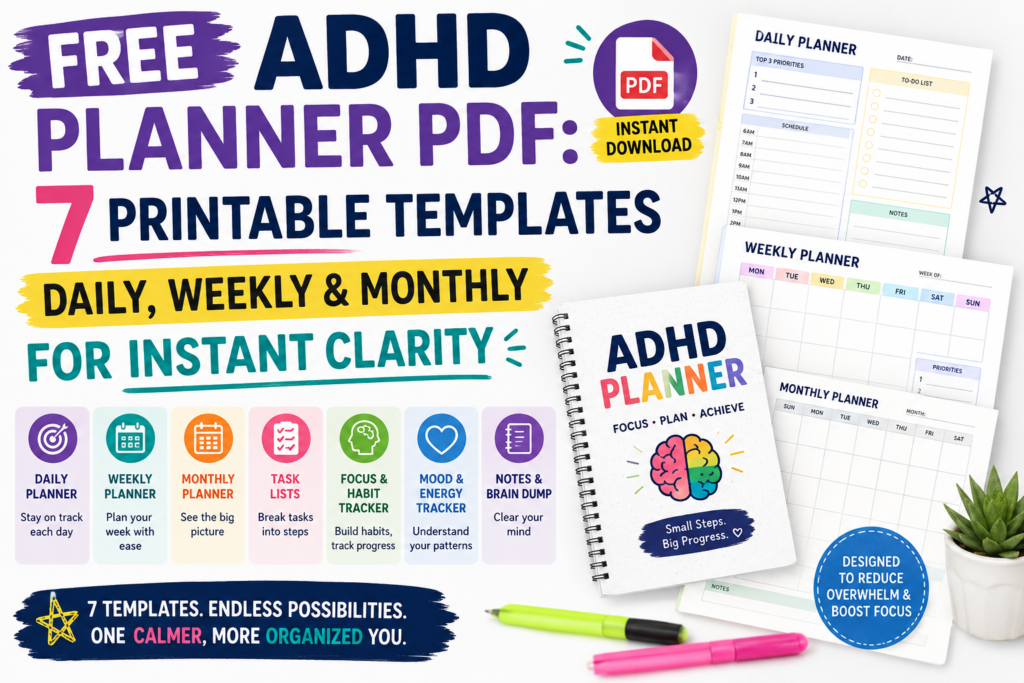
What is included in the seven-page bundle?
| Page | Template | What it includes |
|---|---|---|
| 1 | Daily plan | Fixed commitments, a main priority, a first action, available time, optional tasks and a return note. |
| 2 | Weekly overview | Monday–Sunday spaces for commitments and next actions, plus a review prompt. |
| 3 | Monthly date list | Numbered dates from 1 to 31 for key commitments and deadlines. |
| 4 | Brain dump | Capture space, sorting prompts and one next action. |
| 5 | Optional habit record | One chosen action, its cue, a smaller version and a seven-day record. |
| 6 | Activity menu | Brief, longer and social activity ideas, with preparation and stopping cues. |
| 7 | Task starting sheet | A deadline, required materials, a first action, a stopping point and a response to obstacles. |
All pages are undated. Write in the relevant dates and leave unused sections blank. The monthly page is a date list, not a calendar grid; cross out dates that do not occur in the month you are planning.
Which page should you use first?
| Your immediate need | Starting page | First entry |
|---|---|---|
| Decide what to attempt today. | Daily plan | Write your fixed commitments and one realistic priority. |
| Notice deadlines or clashes across the week. | Weekly overview | Add appointments, work, classes and preparation time. |
| Keep upcoming dates together. | Monthly date list | Record confirmed dates and transfer alerts to your calendar. |
| Gather scattered tasks and ideas. | Brain dump | Write short fragments, then identify anything requiring action. |
| Explore one repeatable routine. | Optional habit record | Define the action and when you will try it. |
| Have activity ideas ready when needed. | Activity menu | List a few accessible options you enjoy or find restorative. |
| Begin a project that feels unclear. | Task starting sheet | Write the project and one visible starting action. |
How to use the daily, weekly and monthly pages together
Daily plan: choose an action that fits the day
Begin with commitments that already occupy time. Include travel, preparation, meals, care responsibilities and breaks where relevant.
Choose one main priority and describe how to begin it. “Open the application instructions and list the required documents” is more concrete than “sort out applications.”
Use the optional task space only if it helps. The number of tasks you write is a planning choice, not a clinically established limit.
Weekly overview: prepare before the deadline
Add fixed commitments first. Then identify work that needs to happen before each deadline, such as gathering documents or asking a question.
You can start using the page midweek. There is no need to reconstruct days that have already passed.
At the review prompt, note anything that needs reducing, postponing or discussing with someone else. A weekly plan should be adjustable when circumstances change.
Monthly date list: record key dates without copying everything
Use the numbered list for appointments, deadlines and other dates you want to see together. It does not show weekdays automatically, so check dates against a reliable calendar.
Do not rely on a printed page to notify you. Put important alerts into the calendar or reminder system you normally check.
You do not need to repeat every task on all three pages. Use the monthly page for key dates, the weekly page for preparation and the daily page for actions you intend to attempt.
How to use the four supporting worksheets
Brain dump: record first, then decide
Capture tasks, ideas, questions or concerns in short phrases. You can stop after a few entries; filling the page is not the goal.
Use the sorting prompts to identify actions, later commitments, follow-ups and ideas you want to park or release. For a separate worksheet and detailed example, see our brain dump resource.
Optional habit record: observe one action
Choose a specific action, such as checking tomorrow’s calendar after dinner. Write what counts as an attempt and a smaller version you can try when circumstances are difficult.
Record attempts or brief notes. A blank day is not a diagnosis, a score or evidence of personal failure. Use the review space to notice whether the cue and action fit your routine.
Skip this page if tracking creates more work than it saves.
Activity menu: keep suitable options available
List activities you enjoy or find restorative, such as listening to a song, taking an accessible movement break, making a drink or contacting a friend.
The page uses the neutral term “activity menu.” It does not measure dopamine or claim that particular activities correct a chemical imbalance.
Consider time, cost, accessibility and preparation. If you plan to return to another activity afterwards, include a stopping or return cue.
Task starting sheet: define the next attempt
Write the actual deadline, any missing information and the materials you need. Then name one action you can recognise when you are doing it.
Define “done for now.” That might mean completing an outline, gathering two documents or identifying the question you need to ask.
If you are blocked, the next step may be requesting information or seeking help rather than creating a more detailed schedule.
Worked example: preparing an application
Illustrative example: Someone wants to submit an application by Friday. The following entries show how selected pages can work together; they are not reported user results.
| Page | Example entry |
|---|---|
| Monthly date list | Friday: application deadline. Confirm the submission time. |
| Weekly overview | Tuesday: check requirements. Wednesday: draft answers. Thursday: review and submit if ready. |
| Task starting sheet | First action: open the instructions and list the required attachments. |
| Daily plan | After lunch, gather the available attachments. Note anything missing before stopping. |
If a required document is unavailable, update the plan and decide who needs a message. The planner cannot remove that dependency, but it can help you record it.
The remaining pages can stay unused. You do not need a habit record or activity menu for every project.
Print the PDF or use it with an annotation app
- Choose the matching size: A4 for A4 paper or US Letter for US Letter paper.
- Open print preview: Check orientation, margins and page selection.
- Print one page first: Confirm that text size and writing space suit you.
- Use actual size where appropriate: If your printer clips an edge, try its fit-to-printable-area setting.
- Print only what you need: Repeat the daily or weekly page without printing the whole bundle again.
The bundle uses dark text and light rules without large coloured backgrounds. Colour printing is not required.
You can open the PDF in an annotation app that supports it and use that app’s writing or text tools. These are ordinary PDF pages, not native Notion templates or interactive forms. Saving, syncing and backup depend on the app you use.
For a simple typed version, copy the headings you need into a private note or document.
If you stop using the planner
Return to today rather than filling in missed pages. Check which commitments are still current and choose one next action.
| Problem | Adjustment to try |
|---|---|
| You forget to look at the page. | Place it where the relevant activity begins or add one review reminder. |
| You spend too long filling it in. | Use only commitments, one priority and its first action. |
| Tasks move forward every day. | Check whether they are unclear, too large, dependent on someone else or no longer necessary. |
| Your schedule changes frequently. | Use fewer fixed work blocks and leave room to rearrange actions. |
| Tracking feels discouraging. | Skip the habit page or use brief observations instead of completion marks. |
| Handwriting or small text is difficult. | Use a digital note, annotation tools or a larger print setting where suitable. |
What these worksheets can—and cannot—offer
A planner provides a place to record information and arrange actions. Its usefulness depends on the task, the layout, access needs and whether you can return to it when needed.
The National Institute of Mental Health recommends organisational strategies including recording important information, prioritising time-sensitive tasks and breaking larger tasks into manageable steps.
That general guidance does not validate this specific bundle or establish that a particular layout improves ADHD symptoms, releases dopamine or guarantees clarity.
If attention, organisation or other difficulties significantly affect daily life, consider appropriate professional support. These worksheets are optional aids and do not replace assessment or treatment.
Choose one page to begin
Print the page that addresses your immediate need, write one useful entry and decide when you will check it again. Keep sections that help and leave the rest blank.
For a broader planning method, see our daily planning guide. For a separate browser-based option, explore the daily planner tool.
Use: These worksheets are provided for personal organisational use.